spacer spacer spacer spacer spacer spacer spacer spacer
spacer
spacer
    Latest Accounting News

Telephone: 03 9727 1244
Facsimile: 03 9727 0244
Email: Email Us

Address: Suite 2, 96 Manchester Rd, Mooroolbark VIC 3138
spacer
Hot Issues
Steps to close a business
Paid parental leave super contributions have started
How Do I Write Legally Compliant Terms and Conditions for My Business?
Don’t get caught out at tax time with your multiple jobs
Division 296 tax on large super balances
More of the same with latest missive from Treasury
'No place to hide': ATO puts contractors on notice over $1bn in missing TPAR payments
Check out the largest castles by country
ATO no longer treating debt the same as during COVID
Warning for early lodger this tax time!
Global companies turn to cost-cutting amid ongoing inflation
Don’t get caught out at tax time with your multiples jobs
Does Your Small Business Need to Follow AML Privacy Rules?
SMEs warned as ATO ramps up tax debt collection
Taxpayer given 35% penalty for BAS recklessness
How Our Diets have Changed.
Tips to help you this tax time
Tax Time Checklists Individuals; Company; Trust; Partnership; and Super Funds
ATO warns millions of Australian chasing tax deductions to stop making 'unusual' claims
Impersonation scams are on the rise
Components of a cyber security plan
Social Security Payments and Their Effect on Discretionary Trusts
LRBA ban no better for housing supply or retirement, accountants clap back
The evolution of the world's languages
2026 Year-End Tax Planning Guide – Part 1
2026 Year-End Tax Planning Guide – Part 2
PAYDAY SUPER STARTS 1 JULY 2026 – Planning guides
Payday Super: 6 Things Small Businesses Need to Know
SMEs to be hit hardest by new trust tax reforms
6 tips to help businesses avoid financial difficulties
Articles archive
Quarter 2 April - June 2026
Quarter 1 January - March 2026
Quarter 4 October - December 2025
Quarter 3 July - September 2025
Quarter 2 April - June 2025
Quarter 1 January - March 2025
Quarter 4 October - December 2024
Quarter 3 July - September 2024
Quarter 2 April - June 2024
Quarter 1 January - March 2024
Quarter 4 October - December 2023
Quarter 3 July - September 2023
Quarter 2 April - June 2023
Quarter 1 January - March 2023
Quarter 4 October - December 2022
Quarter 3 July - September 2022
Quarter 2 April - June 2022
Quarter 1 January - March 2022
Quarter 4 October - December 2021
Quarter 3 July - September 2021
Quarter 2 April - June 2021
Quarter 1 January - March 2021
Quarter 4 October - December 2020
Quarter 3 July - September 2020
Quarter 2 April - June 2020
Quarter 1 January - March 2020
Quarter 4 October - December 2019
Quarter 3 July - September 2019
Quarter 2 April - June 2019
Quarter 1 January - March 2019
Quarter 4 October - December 2018
Quarter 3 July - September 2018
Quarter 2 April - June 2018
Quarter 1 January - March 2018
Quarter 4 October - December 2017
Quarter 3 July - September 2017
Quarter 2 April - June 2017
Quarter 1 January - March 2017
Quarter 4 October - December 2016
Quarter 3 July - September 2016
Quarter 2 April - June 2016
Quarter 1 January - March 2016
Quarter 4 October - December 2015
Quarter 3 July - September 2015
Quarter 2 April - June 2015
Quarter 1 January - March 2015
Quarter 4 October - December 2014
Protect your small business by following these essential steps.

Cyber security is everyone’s business. With cyber threats becoming more frequent and complex now is the time to make sure your business is secure.


.


Cyber security is everyone’s business. With cyber threats becoming more frequent and complex now is the time to make sure your business is secure.


This October, for Cyber Security Awareness Month, take the opportunity to talk to your employees and colleagues about the essential steps that you can all take to protect your digital identities and keep your business operating smoothly. With these 4 simple actions, you can greatly reduce the risk and impact of cyber threats on your business:


  1. Use strong passwords that are long, unique and unpredictable.
  2. Turn on multi-factor authentication (MFA).
  3. Turn on automatic software updates.
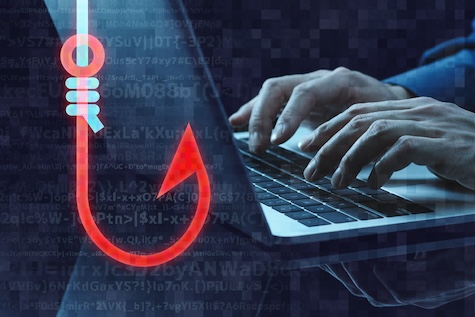
  4. Recognise and report phishing scams.

Use strong, long and unique passwords


Strong passwords are your first defence against unauthorised people trying to access your online accounts.


Across your business accounts, make sure you use long, unique and unpredictable passwords for each account. You could also try using ‘passphrases’ (passwords made of 4 or more random words) which are more complex, making it harder for criminals to crack.


For more on passwords, read our article: 6 steps to better password hygiene.


Turn on multi-factor authentication (MFA)


Multi-factor authentication, also known as MFA, adds an extra layer of protection by asking you in 2 or more ways to prove that an authorised person is logging in. It makes it much harder for others to access your online accounts.


For more on general cyber security and multi-factor authentication, read our article: The essential small business guide to cyber security.


Turn on automatic software updates


Turning on automatic software updates for your business devices and apps is one of the easiest ways to protect yourself online. Check your device's settings and make sure that automatic updates are turned on across all your business devices.


For more on software updates and general cyber security, read our article: The essential small business guide to cyber security.


Recognise and report phishing scams


(Phishing: the fraudulent practice of sending emails or other messages purporting to be from reputable companies in order to induce individuals to reveal personal information, such as passwords and credit card numbers.


Remember to always check the senders address. Scammers can go close but they can not use the exact same URL (domain address) as the company they purport to be from. If still in doubt then ring the company involved to double check. Doing these two things will go a long way to stopping you being scammed.)


Phishing is one of the most common scams used by cybercriminals to steal personal and financial information. To avoid getting caught by phishing, be cautious with unsolicited messages or links and encourage everyone with access to your business emails and messages to look out for red flags, like urgent language requesting you to take action.


For more on phishing, read our article: Spyware and stalkerware: How to check and protect your business devices.


More cyber security resources


By taking the 4 steps, you can greatly lower your risk of falling victim to cyber threats. For more practical advice and tips on how to protect your business, see Business Victoria’s range of cyber security resources:


Acctweb


22nd-November-2024
 
sitemap | site by AcctWeb